Figma Prototype
Conclusion & Learnings
This project reinforced how essential clarity, personalization, and thoughtful segmentation are in designing enterprise platforms. Even without complex workflows, a clean structure and approachable UI can significantly improve user engagement and productivity. Designing for daily usability meant prioritizing information hierarchy, minimizing friction, and supporting discoverability, ultimately turning a static intranet into a dynamic, user-centered workspace.
Impact
1.) Significantly reduced time to discover key tools and resources
2.) Increased employee participation in internal campaigns and recognitions
3.) Simplified onboarding for new joiners via clearer navigation and focused entry points
4.) Early user feedback cited improved clarity and ease of access to previously hard-to-find content
Design Process
We began by conducting user interviews across departments to uncover pain points in the existing employee experience. The key insight was the need for better segmentation, intuitive navigation, and reduced clutter. In response, we envisioned a modular, card-based widget system that would be both scalable and visually digestible. The platform was structured around four core tabs: Dashboard, Employee, Company, and Knowledge Hub, each serving a distinct user intent while maintaining overall cohesion.
To maintain usability across the platform, we implemented consistent global elements, such as a persistent feedback button and the AI assistant, for smooth navigation and user support. Generous white space was intentionally introduced throughout the interface to reduce visual fatigue, enhance content discoverability, and provide breathing room between high-density widgets. These design choices were critical in reducing cognitive load, especially for employees engaging with the platform frequently.
Dashboard
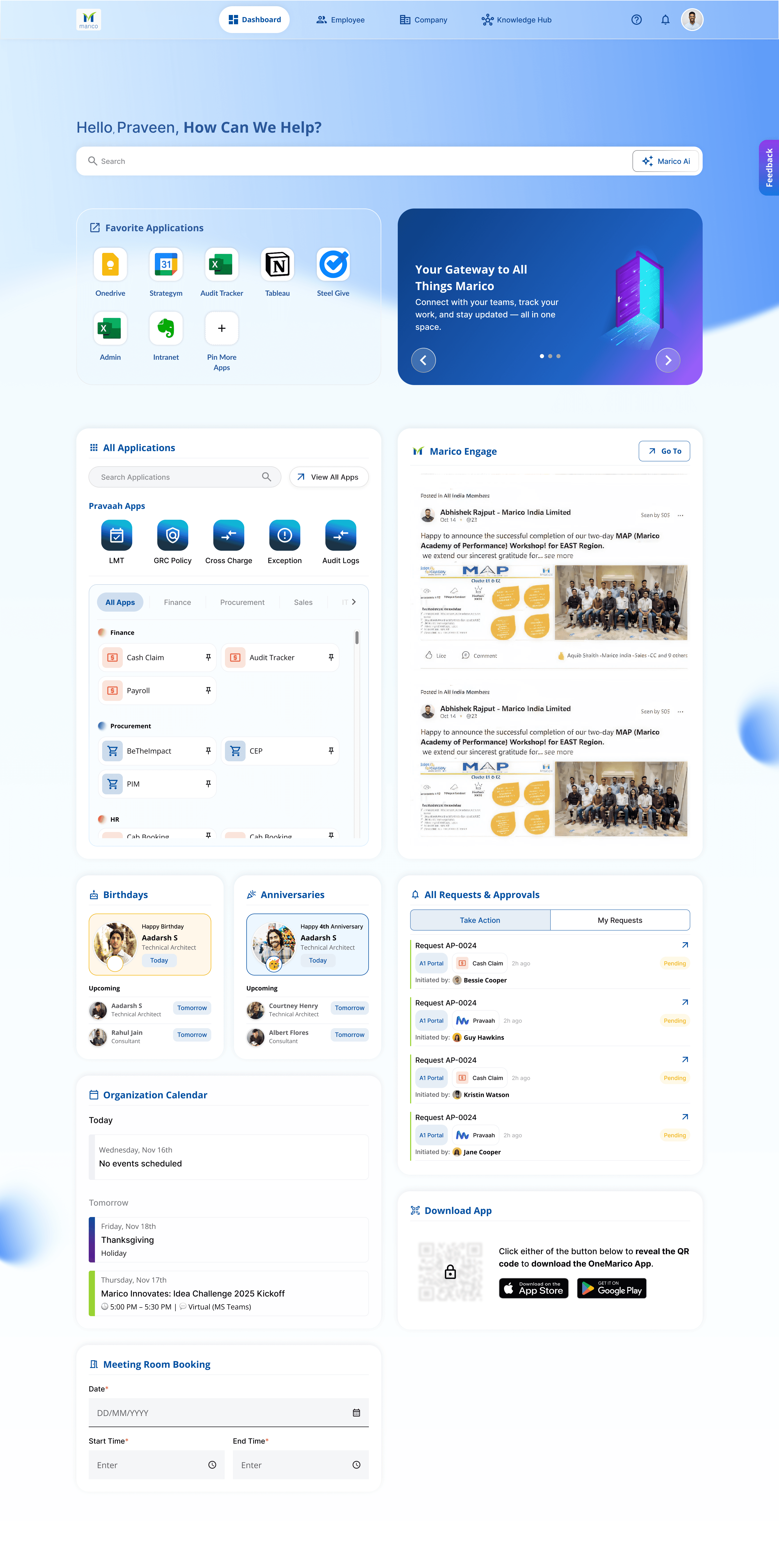
The Dashboard was designed to serve as a daily starting point, featuring a personalized greeting message, pinned applications, an AI-powered search bar for quick access to tools and content, a rotating promotional banner for company-wide announcements, and utility-driven sections like the meeting room booking widget and the organization calendar. It also included 'Marico Engage' an internal social feed, alongside workflow requests, approvals, and celebratory sections like birthdays and work anniversaries.
Company
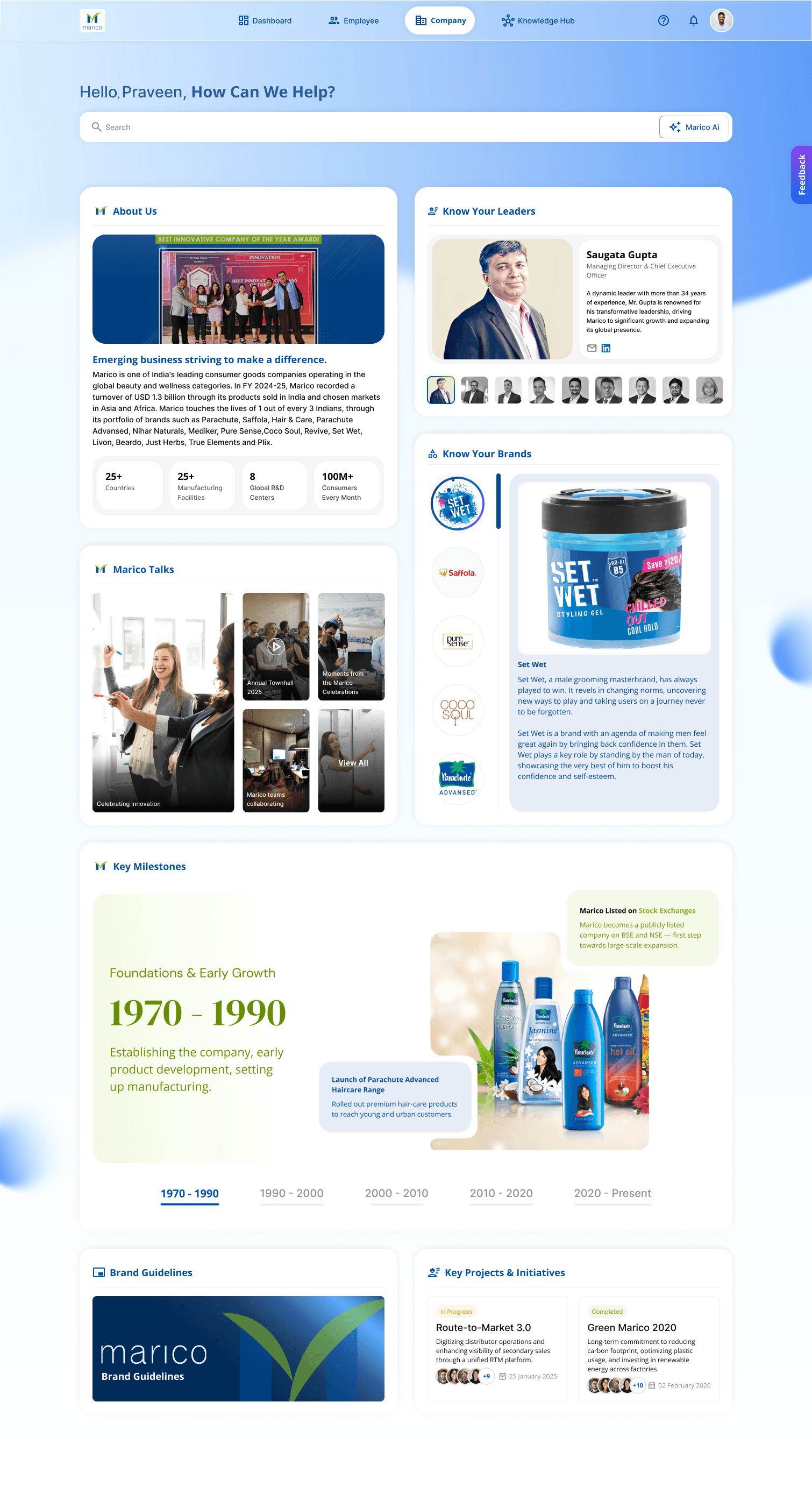
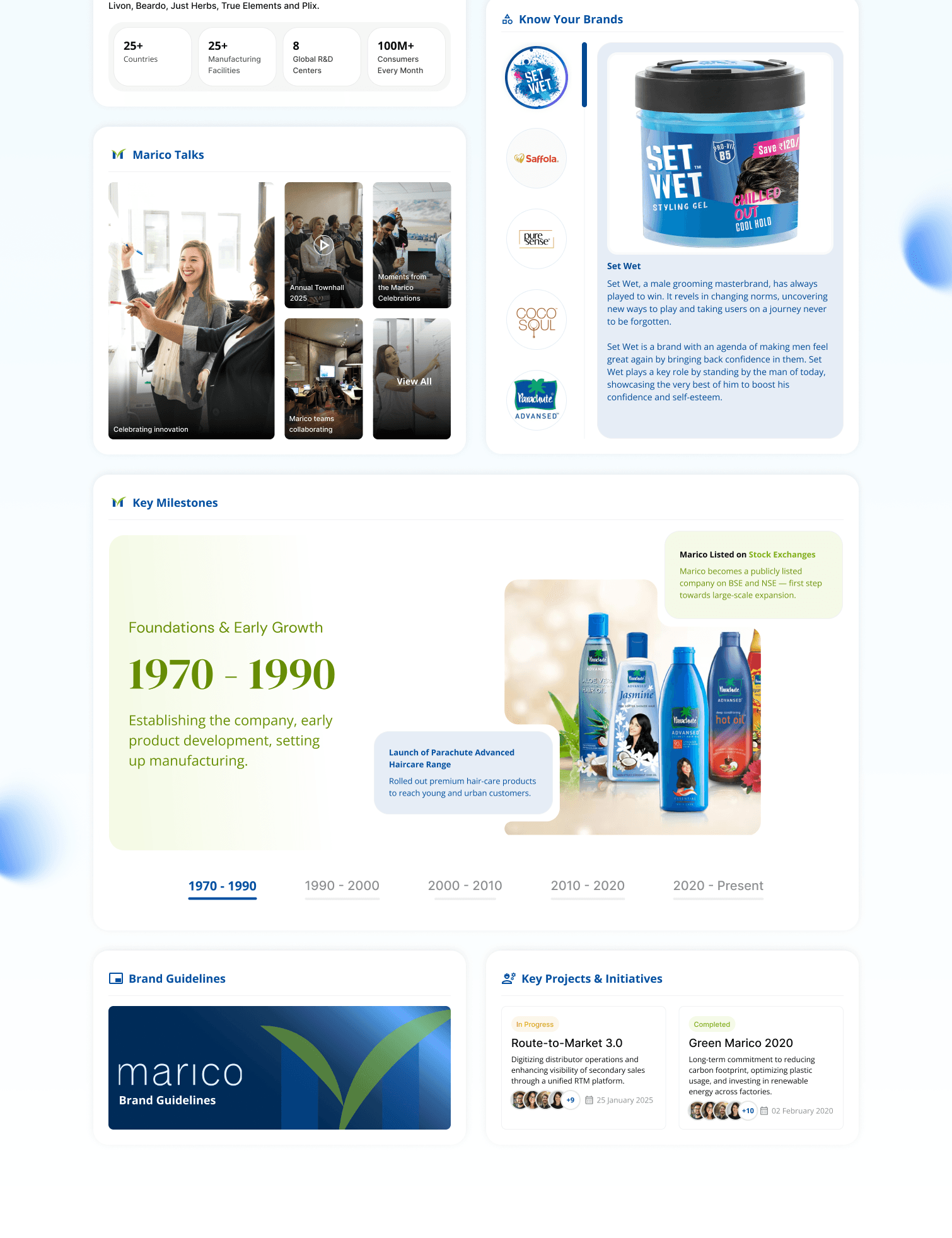
The Company tab was crafted to foster a sense of belonging and brand awareness. It housed information about Marico’s leadership, key milestones, ongoing initiatives, and detailed brand introductions—all presented through visual storytelling and cards that balance imagery with text.
Employee
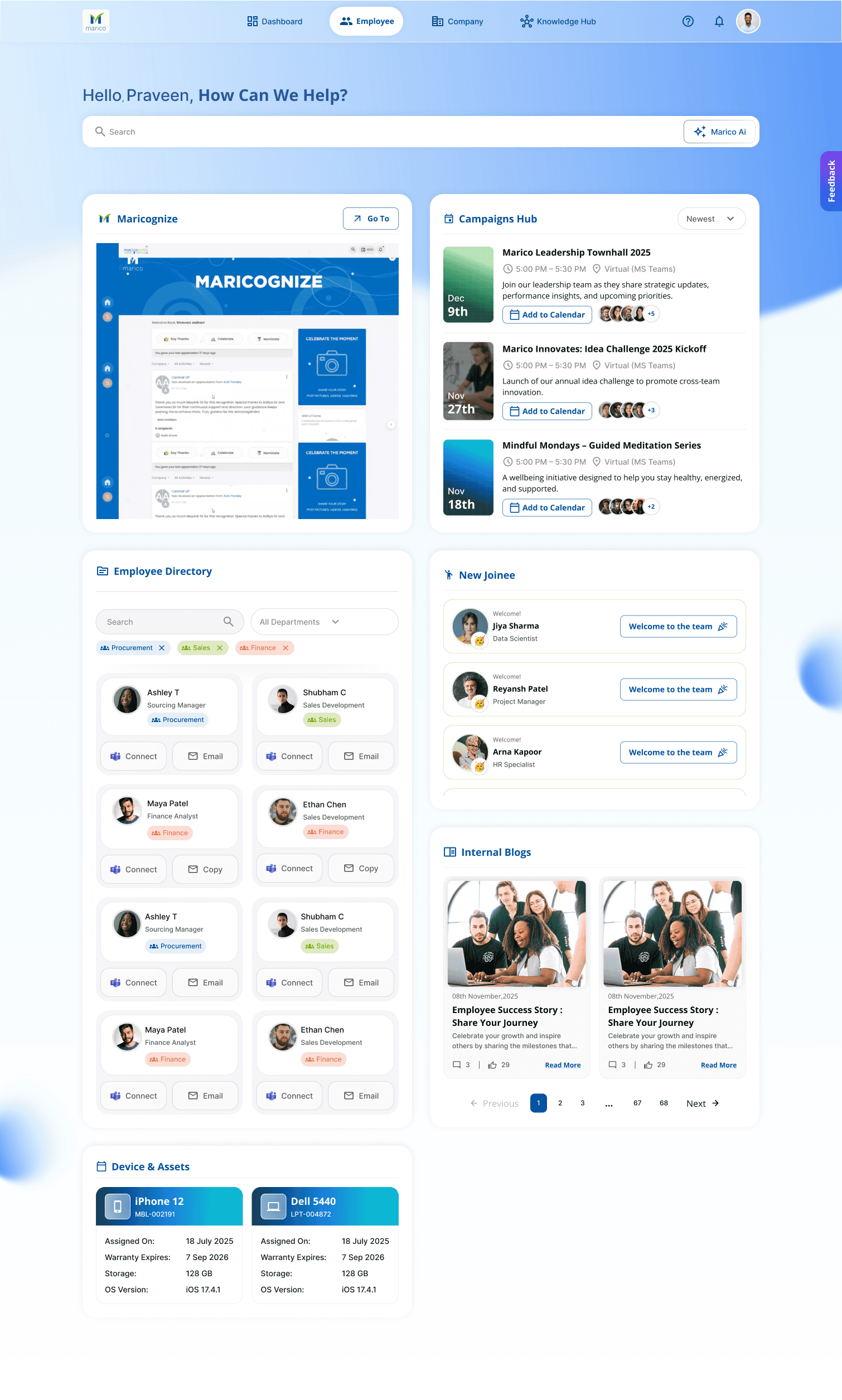
The Employee section focused on people-centric tools and updates, offering access to the employee directory, new joiner welcomes, internal blog highlights, campaign promotions, and device & asset tracking—all surfaced in a clean, accessible layout.
Knowledge Hub
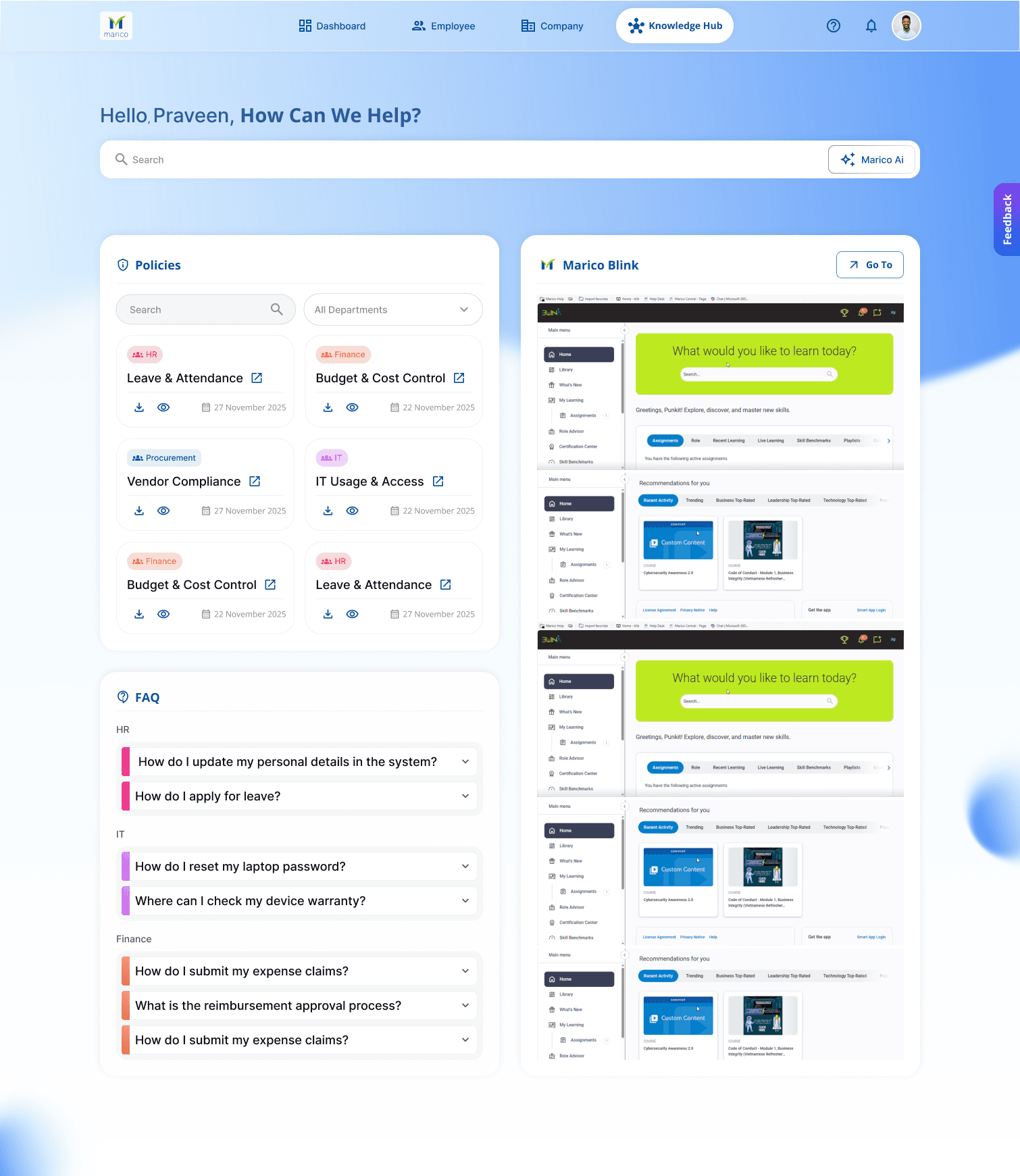
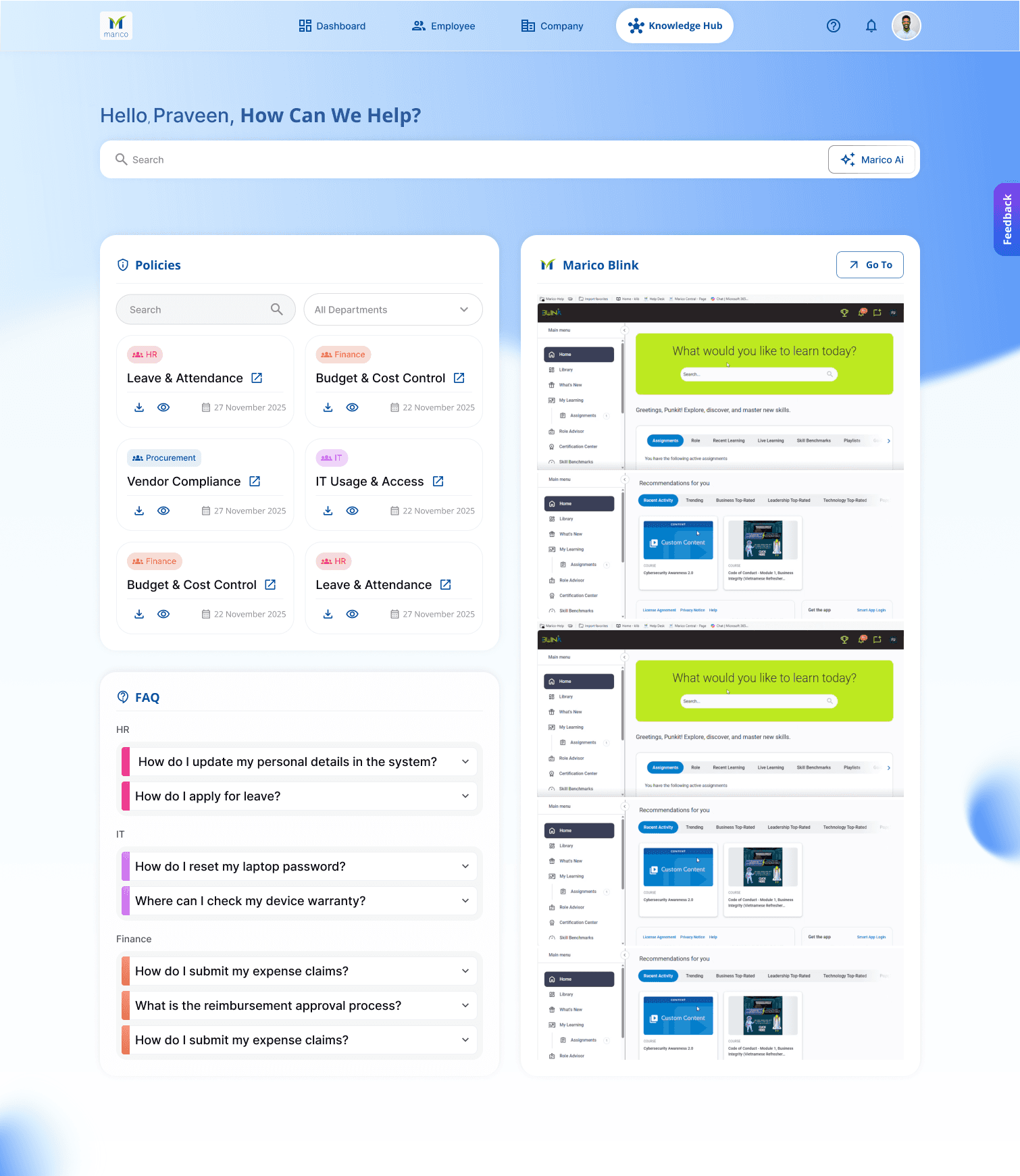
The Knowledge Hub served as the go-to space for self-service queries and policy references. It included a searchable policy library, FAQs filtered by department, and embedded links to learning portals like Marico Blink.
The Problem
1.) Fragmented information across tools.
2.) Lack of personalization or guided discovery
3.) No central entry point for updates or internal systems.
The User
The users are the employees across Marico’s departments : Sales, HR, Finance, Procurement, and IT, who rely on multiple systems or isolated platforms for tasks like accessing policies, contacting colleagues, reading company news, or managing approvals.
Project Overview
OneMarico is an internal intranet platform designed to unify access to tools, resources, and updates for all Marico employees. The goal was to streamline workflows, reduce friction in daily tasks, and build a cohesive digital environment across departments.
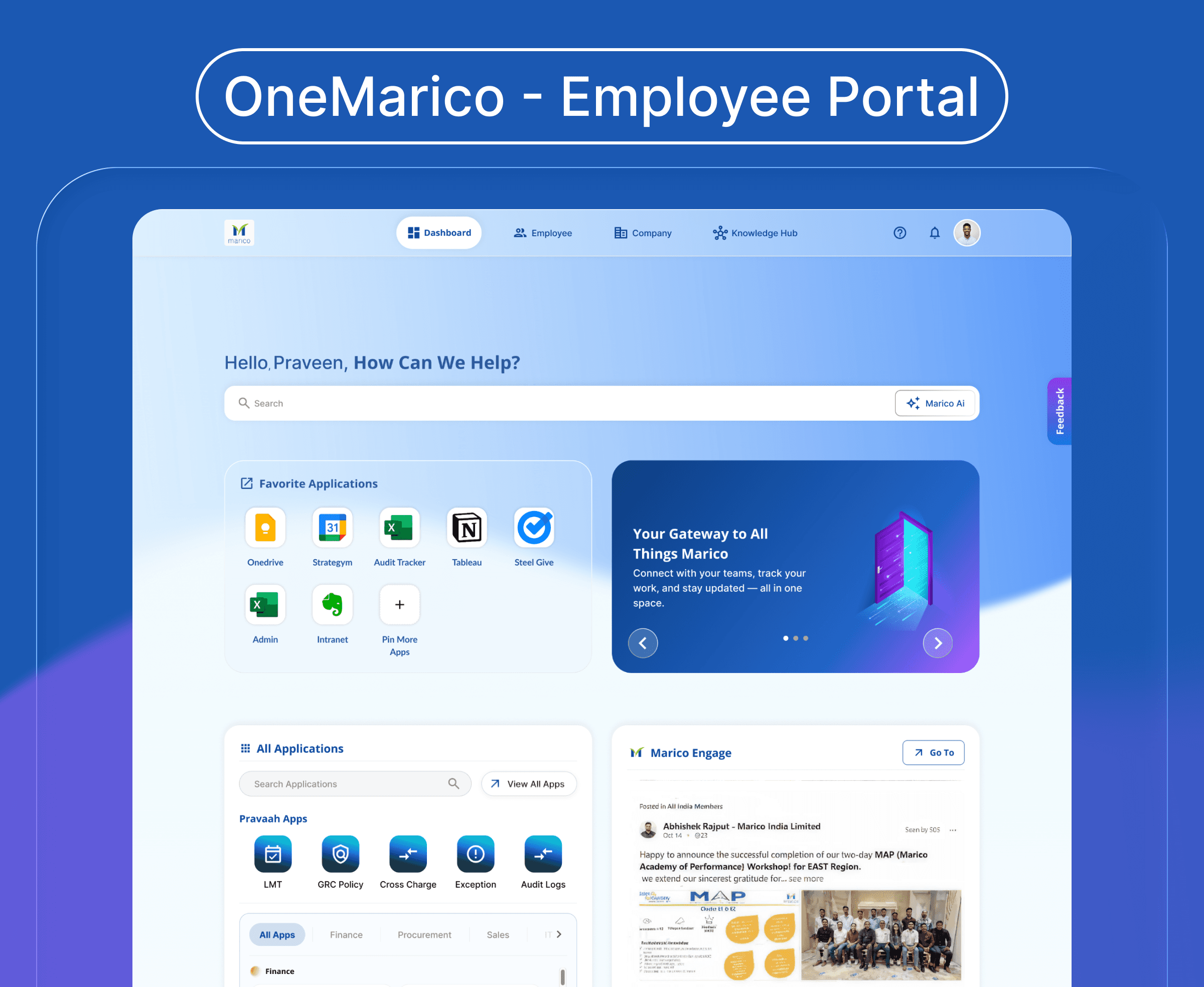
OneMarico – Employee Portal
A centralized digital workspace that provides Marico employees with unified access to internal tools, applications, and company resources.
Sector
Intranet Systems
OneMarico – Employee Portal ▼
Hi, I'm Anushka & this experience was crafted for a bigger screen. Hop on your desktop to view it the way it was meant to be!
Anushka Balyan